How to Prevent Ransomware Attacks: A Complete Defense Strategy for 2026

Preventing ransomware attacks requires implementing four foundational controls: maintaining offline backups, patching systems within 48 hours of release, enforcing multi-factor authentication across all access points, and establishing tested incident response procedures. Organizations that deploy this layered defense approach significantly reduce their exposure to encryption attacks and operational downtime.
The threat landscape has evolved. According to the National Cyber Threat Assessment 2025-2026, cybercriminal groups have refined their tactics to exploit specific vulnerabilities in organizational defenses, particularly targeting weak authentication protocols and unpatched systems. The Canadian Centre for Cyber Security, Canada’s technical authority on cyber security, works alongside critical infrastructure providers and businesses to defend against these sophisticated attacks through specialized cyber defence technology and tailored guidance.
What separates organizations that recover quickly from those that face weeks of downtime isn’t luck or budget size. It’s systematic implementation of proven controls. Ransomware operators succeed when they find a single weak point: an unpatched edge device, a backup system connected to production networks, or an administrative account protected only by a password. Closing these gaps doesn’t require enterprise-scale resources, but it does demand methodical execution.
This guide walks through the specific steps technology decision-makers and IT teams need to take, from selecting the right backup architecture to validating your defenses under realistic conditions. You’ll see which tools matter most, how to sequence your implementation for maximum protection with minimal disruption, and how to verify that your controls will actually work when an attack occurs. The framework draws on field-tested practices and aligns with guidance from organizations like the Cyber Centre, part of the Communications Security Establishment Canada, which develops and deploys sophisticated cyber defence tools across government and private sector networks.
Understanding the Ransomware Threat Landscape
Ransomware attacks have evolved from opportunistic disruptions into systematic, professionally-orchestrated campaigns targeting organizations of all sizes. The Canadian Centre for Cyber Security’s National Cyber Threat Assessment 2025-2026 highlights the escalating cyber threats facing Canadian organizations and how these threats continue to mature in sophistication and impact. What began as simple encryption schemes deployed through mass-distributed phishing emails has transformed into multi-stage operations involving network reconnaissance, data exfiltration, and coordinated deployment designed to maximize disruption and financial leverage.
The maturation of ransomware represents a fundamental shift in threat profiles. Modern attacks don’t announce themselves immediately. Threat actors now spend weeks or months inside compromised networks, identifying critical systems, locating backup infrastructure, and planning deployment to inflict maximum damage. This dwell time transforms ransomware from a technical nuisance into an existential business threat, particularly when attackers target backup systems designed to provide recovery options.
Reactive approaches consistently fail because they attempt to respond after adversaries have already achieved their objectives. By the time encryption begins, attackers have typically disabled security tools, deleted backups, and positioned themselves across multiple network segments. The cost of a breach extends far beyond ransom payments, organizations face operational downtime, regulatory scrutiny, customer trust erosion, and recovery expenses that dwarf prevention investments.
Prevention emerges as the most cost-effective strategy precisely because it addresses vulnerabilities before exploitation. Organizations that close common attack vectors through systematic patching, enforce access controls with multi-factor authentication, and maintain resilient backup systems eliminate the conditions ransomware requires to succeed. The Canadian Centre for Cyber Security works closely with organizations to build these preventive capabilities, recognizing that defending critical systems requires proactive technical controls rather than hoping to contain damage after compromise.
Essential Tools and Technologies for Ransomware Prevention

Before you can execute a comprehensive ransomware prevention strategy, you need the right technical foundation. Think of these tools as the infrastructure that makes systematic prevention possible, not optional add-ons you implement later. Organizations serious about defense build their security stack around patch management, backup resilience, access controls, endpoint protection, network isolation, and continuous monitoring.
At the core of ransomware prevention lies a robust set of technologies working together:
- Patch management platforms that automate software updates across servers, workstations, and network devices while tracking compliance and testing deployment
- Backup and recovery solutions supporting the 3-2-1 strategy with immutable storage, air-gapped copies, and rapid restoration capabilities
- Multi-factor authentication systems securing email, VPN access, administrative accounts, and cloud applications with time-based codes or biometric verification
- Endpoint detection and response tools monitoring workstations and servers for suspicious behavior, isolating compromised systems, and blocking malicious processes
- Network segmentation technologies creating isolated zones that limit lateral movement if attackers breach perimeter defenses
- Security information and event management platforms aggregating logs, detecting anomalies, and providing centralized visibility across the entire infrastructure
Your patch management system needs centralized control over every asset in your environment. Manual tracking fails at scale. Look for platforms that inventory devices automatically, prioritize critical vulnerabilities, schedule updates during maintenance windows, and generate compliance reports. The system should integrate with your secure operations software to ensure patching doesn’t disrupt business-critical applications.
Backup solutions must go beyond simple data copies. Immutable storage prevents ransomware from encrypting backups even if attackers gain administrative credentials. Air-gapped or offline backup copies provide recovery options when network-connected systems are compromised. Verify your backup platform supports granular recovery, allowing you to restore individual files or entire systems depending on the incident scope.
Multi-factor authentication platforms vary widely in deployment complexity and user experience. Choose solutions that support your specific access scenarios, whether authenticating remote workers through VPN, securing cloud service logins, or protecting privileged administrative access. The platform should enforce MFA across all entry points, not just convenient ones, since attackers exploit gaps in coverage.
Network segmentation requires more than VLANs. Modern approaches use zero-trust principles, software-defined perimeters, and micro-segmentation to isolate critical systems and data. Proper segmentation contains breaches, preventing attackers from moving freely between systems once they gain initial access.
These technologies work as an integrated defense system. When your patch management identifies a critical vulnerability, your monitoring platform validates deployment, your segmentation limits exposure until patching completes, and your backup strategy ensures recovery if exploitation occurs before the patch applies. Organizations building this foundation position themselves to implement the systematic prevention measures that follow.
Critical Security Conditions and Warning Signs
Before implementing a comprehensive prevention strategy, you need to identify and address critical vulnerabilities that actively expose your organization to ransomware attacks. These dangerous configurations function as open doors for threat actors, leaving them in place undermines even the most sophisticated security measures you deploy later.
Outdated software represents the most exploited vulnerability in ransomware attacks. Systems running operating systems, applications, or firmware with known security flaws provide attackers with reliable entry points. If your patch cycles extend beyond 30 days for critical updates or if you maintain legacy systems that no longer receive security patches, you’re operating in a high-risk state. This isn’t about convenience or scheduling, unpatched vulnerabilities are actively scanned and exploited at scale.
The absence of multi-factor authentication on privileged accounts creates a single point of failure. Password-only authentication means that one compromised credential grants attackers administrative access to your entire environment. If email systems, VPN access, cloud administration portals, or domain administrator accounts lack MFA, attackers need only one successful phishing attempt or credential theft to establish persistent access.
Inadequate backup strategies leave organizations with no recovery option when encryption occurs. Backups stored on network-accessible drives, systems without air-gapped or immutable copies, or backup solutions that haven’t been tested through actual restoration exercises provide false confidence. You haven’t truly implemented backups until you’ve successfully restored critical systems from them under time pressure.
Flat network architecture without segmentation allows ransomware to spread laterally across your entire infrastructure once initial access is gained. If workstations can directly communicate with servers, if administrative systems share network segments with general users, or if cloud resources lack proper access controls, a single compromised endpoint becomes an organization-wide breach.
Missing or untested incident response plans leave teams paralyzed when attacks occur. Without documented procedures, defined roles, established communication channels, and regular tabletop exercises, organizations waste critical hours during the response window. The Canadian Centre for Cyber Security emphasizes that preparation, including working with specialized partners to develop response capabilities, determines recovery success far more than post-breach scrambling.
Step-by-Step Ransomware Prevention Implementation
Step 1: Establish a Systematic Patching Program
Begin by inventorying all assets across your environment, servers, workstations, network devices, and applications. You can’t patch what you don’t track. Create a centralized asset register that includes operating systems, installed software, firmware versions, and responsible owners.
Establish a patch classification system that prioritizes based on vulnerability severity and exploitability. Critical patches addressing remotely exploitable flaws warrant immediate deployment, typically within 48 hours of release. High-priority patches should follow within two weeks. Standard updates can run on monthly cycles aligned with vendor release schedules.
Implement a testing protocol before production deployment. Set up a representative test environment mirroring your production systems. Deploy patches to this environment first, validating that they don’t break applications or introduce conflicts. For mission-critical systems, test for three to five days before wider rollout. This isn’t excessive caution, it’s insurance against patch-induced outages.
Automate where possible. Modern patch management platforms can automatically deploy approved patches to designated systems during maintenance windows. Configure automated deployment for workstations and non-critical servers while maintaining manual approval for production infrastructure. Automation reduces the window of vulnerability without sacrificing control.
For zero-day vulnerabilities, those actively exploited before patches exist, have an emergency response protocol. This should include rapid asset identification, temporary compensating controls (network isolation, access restrictions), and an expedited patch deployment process that bypasses standard testing when the threat severity justifies the risk.
Document every patching cycle. Record what was patched, when, and any issues encountered. This audit trail proves essential during security assessments and incident investigations.
Step 2: Deploy Multi-Factor Authentication Across All Access Points
Multi-factor authentication creates the single most effective barrier against unauthorized access, even when passwords are compromised through phishing or credential theft. Attackers consistently target accounts protected only by passwords, making MFA deployment across every access point non-negotiable for ransomware prevention.
Begin with privileged accounts: domain administrators, system administrators, and anyone with elevated access rights. These accounts provide attackers with the keys to your entire environment, making them primary targets. Deploy hardware security keys or authenticator apps rather than SMS-based codes, which remain vulnerable to interception.
Extend MFA to email systems next. Email serves as the gateway for most ransomware attacks through phishing campaigns and as the recovery mechanism for other accounts. Protecting email with MFA disrupts the initial infection vector and prevents account takeover that enables lateral movement.
Roll out MFA for VPN and remote access platforms, cloud service accounts (Microsoft 365, Google Workspace, AWS, Azure), and any application with external access. Don’t overlook service accounts, automated accounts running critical processes often remain protected only by passwords because MFA seems incompatible with automation. Application programming interfaces and service principals support MFA through certificate-based authentication and managed identities.
Address adoption challenges directly. Users resist authentication friction, so choose context-aware MFA solutions that adapt requirements based on risk signals, location, device posture, and behavior patterns. Deploy passwordless options like Windows Hello or biometric authentication where possible. Provide clear setup instructions, dedicated support during rollout, and executive sponsorship that reinforces MFA as mandatory, not optional.
Test your MFA implementation by attempting to access protected systems without the second factor. Every access point should deny entry.
Step 3: Implement the 3-2-1 Backup Strategy

The 3-2-1 backup rule provides a resilient framework against ransomware encryption: maintain three total copies of your data, store them on two different media types, and keep one copy completely offline or offsite. This redundancy ensures that even if ransomware compromises your production environment and cloud backups simultaneously, you retain a clean recovery point.
Start by identifying critical data and establishing automated backup schedules. Your primary copy remains on production systems, while the second copy might reside on network-attached storage or a dedicated backup server. The third copy, your offline safeguard, should be either air-gapped or stored at a geographically separate location. Air-gapped backups physically disconnect from your network after each backup cycle, making them inaccessible to ransomware that spreads laterally through connected systems.
Immutable storage adds another protection layer by preventing backup modification or deletion for a set retention period, even by administrators. This write-once-read-many capability stops attackers who gain privileged credentials from destroying your recovery options. Cloud services often provide immutable snapshots, while on-premises solutions may use hardware-enforced immutability.
The most overlooked component is regular restoration testing. Schedule quarterly drills where you actually restore critical systems from backup to verify data integrity and document recovery time. Test restores from each backup location, including your offline copy, to confirm the process works under pressure. Time how long full recovery takes and identify bottlenecks before an actual incident forces you to discover them.
Without verified restoration procedures, backups become theoretical protection rather than practical recovery capabilities.
Step 4: Build Incident Response and Recovery Capabilities
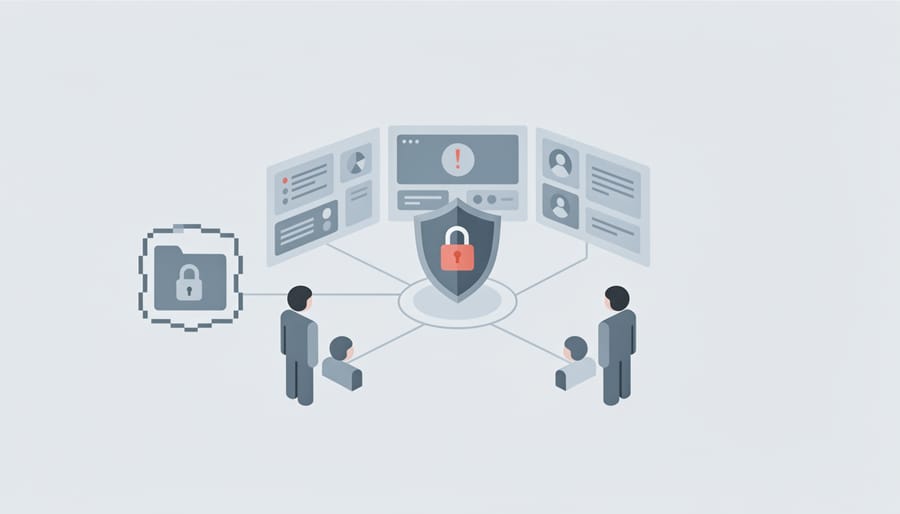
Incident response planning transforms chaos into coordinated action when ransomware strikes. Start by developing a detailed playbook that documents roles, contact information, decision trees, and recovery procedures. Your playbook should outline who initiates the response, how to isolate infected systems, when to involve law enforcement, and what communication protocols govern internal and external messaging.
Assign specific responsibilities before an incident occurs. Designate an incident commander, technical responders, legal counsel, communications lead, and executive decision-maker. Each role needs clear authority boundaries and escalation paths. Document how these team members reach each other outside normal communication channels, since ransomware often compromises email and internal messaging systems.
Tabletop exercises convert written procedures into practiced capabilities. Schedule quarterly simulations where your team walks through realistic ransomware scenarios without the pressure of a live attack. These exercises reveal gaps in your playbook, expose missing technical tools, and build the muscle memory that teams need during actual incidents. Record lessons learned and update your playbook after each exercise.
Many organizations partner with specialized cyber security firms to strengthen their response capabilities. External experts bring incident experience, forensic tools, and negotiation expertise that internal teams typically lack. Establish these relationships before you need them, response quality degrades when you’re selecting vendors under duress.
Test your recovery procedures quarterly by restoring systems from backups in an isolated environment. Measure how long restoration takes and identify dependencies that slow the process. Recovery speed often determines business impact more than the attack itself.
Verification and Continuous Improvement
Prevention measures only work if you test them rigorously and refine them continuously. Organizations that validate their ransomware defenses discover configuration gaps, procedural weaknesses, and untested assumptions before attackers do, and they adapt their controls as threats evolve.
Bulletproof cybersecurity requires systematic verification across technical controls, processes, and people. Penetration testing simulates real-world attack scenarios, revealing whether your segmentation prevents lateral movement, whether your detection triggers fire when malicious executables run, and whether your patch management truly closes exploitable gaps. Simulated ransomware exercises take this further: run controlled attacks using tools like ransomware simulators or red team exercises that mimic the full attack chain from initial compromise through encryption attempts. These exercises test whether your endpoint protection blocks execution, whether your backups remain isolated from encrypted systems, and whether your incident response team follows documented procedures under pressure.
Backup restoration drills prove your recovery capability works before you need it in a crisis. Schedule quarterly tests that restore entire systems from backup, not just individual files, and measure how long recovery takes, whether all data returns intact, and whether applications function correctly after restoration. Failed restoration tests reveal corrupted backup sets, missing dependencies, or procedural gaps that would cripple recovery during an actual attack.
- Monthly: Review security monitoring alerts and verify detection rules trigger appropriately
- Quarterly: Conduct backup restoration tests for critical systems and applications
- Quarterly: Run tabletop exercises with incident response teams to practice decision-making and communication
- Bi-annually: Perform simulated ransomware exercises or red team assessments
- Annually: Conduct comprehensive penetration testing covering network, application, and social engineering vectors
- Annually: Review and update all incident response playbooks based on lessons learned
Security audits validate control effectiveness across your entire environment. Regular audits confirm that patches deploy within target timeframes, that MFA remains enforced on all access points, that backups meet the 3-2-1 standard, and that network segmentation isolates critical assets. Track metrics that matter: mean time to patch critical vulnerabilities, percentage of accounts protected by MFA, successful backup verification rate, and detection coverage across endpoints.
Success looks like demonstrably lower risk over time, not perfect security. When tests reveal gaps, treat them as opportunities to strengthen defenses rather than failures. Many organizations engage managed IT services providers for independent validation, specialized testing expertise, and continuous monitoring that internal teams can’t sustain alone. External assessors bring fresh perspectives, advanced tools, and experience from hundreds of environments, spotting vulnerabilities that become invisible to teams managing the same systems daily.
Frequently Asked Questions About Ransomware Prevention
How often should patches be applied? Critical security patches should be deployed within 48 to 72 hours of release for systems exposed to the internet or handling sensitive data. Operating system and application updates follow a monthly cycle for most organizations, while firmware updates occur quarterly unless vulnerabilities require emergency patching. The key is establishing a systematic process with clear prioritization criteria rather than applying every patch immediately.
What if our backup gets encrypted during an attack? This scenario highlights why the 3-2-1 backup strategy emphasizes air-gapped or offline copies. If your primary and secondary backups are network-accessible, ransomware can reach them. The offline copy, whether stored in a secure physical location or using immutable cloud storage that prevents modification for a set retention period, remains your recovery anchor. Organizations should also segment backup infrastructure from production networks and restrict administrative access to backup systems.
Can small teams implement these prevention measures effectively? Small IT teams can absolutely build robust ransomware defenses by focusing on the four foundational controls: patch management, multi-factor authentication, systematic backups, and basic incident response planning. Automation tools reduce manual overhead for patching and backup validation. Many organizations leverage managed security service providers to extend their capabilities without hiring specialized staff. The Canadian Centre for Cyber Security provides tailored guidance to help organizations of all sizes protect their systems against emerging cyber threats.
How do we prioritize prevention investments when budget is limited?
Start with MFA and systematic backups, these deliver the highest immediate impact for relatively low cost. Then address patch management automation and employee security awareness training.
Do we need specialized security staff to prevent ransomware?
Not necessarily. While security expertise helps, many prevention measures can be implemented by competent IT generalists using established frameworks and tools. Engaging external partners for initial setup, periodic assessments, and incident response planning is often more practical than hiring full-time security specialists.
What role do employees play in ransomware prevention?
Employees are your first line of defense against phishing attempts that deliver ransomware. Regular security awareness training, simulated phishing exercises, and clear reporting procedures turn your workforce into an active defense layer rather than the weakest link.
Prevention works best as a layered approach where technical controls and human awareness reinforce each other. No single measure provides complete protection, but implementing the systematic framework outlined in this guide substantially reduces your organization’s exposure to ransomware attacks and positions you to respond effectively if prevention fails.
Next Steps: Moving from Strategy to Implementation
Understanding ransomware prevention frameworks is essential, but implementing them transforms your security posture. Start by conducting an honest current-state assessment: evaluate your patching cadence, MFA coverage, backup integrity, and incident response readiness against the four foundational controls outlined in this guide. Document gaps and vulnerabilities rather than assuming your existing measures are sufficient.
Prioritize systematically. The most effective prevention strategies layer multiple controls, patching eliminates entry points, MFA blocks credential abuse, backups ensure recovery options, and incident response capabilities minimize damage when attacks occur. Develop a phased implementation roadmap that addresses critical vulnerabilities first while building toward comprehensive coverage. Implementation timelines vary based on organizational size, complexity, and existing security maturity, but the framework remains constant.
Recognize that ransomware prevention requires ongoing commitment. Threats evolve continuously, demanding regular reassessment and adaptation. Organizations benefit from technical expertise that stays current with emerging attack vectors and defensive technologies, whether developed internally or accessed through partnerships with specialized cybersecurity providers.
ISTS’s cybersecurity services help organizations translate prevention strategies into operational security programs. Our team works alongside your IT staff to assess current defenses, implement foundational controls, and build incident response capabilities aligned with the frameworks recommended by national cybersecurity authorities. We provide the technical expertise and systematic processes that turn prevention from concept into daily practice, helping Canadian enterprises build resilient defenses against ransomware and other evolving cyber threats.
Leave a Reply